Learn to code with using Tynker

Taught
Enrolled
04759
Course
Lesson 1
Introduction
Start coding with Tynker.
Lesson 2
Frame Based Animation
Use frame-based animation and make a whack-a-mole style game.
Lesson 3
Character Rigs and Animation
Animate Tynker Character Studio Actors
Lesson 4
Create a Scene
Use XY coordinates, actor rotation, and pointing to make a simple 1-scene story.
Lesson 5
Motion
Move, turn and use the mouse. Animate a Conga Line!
Lesson 6
Advanced Motion
Make an Actor move with key presses.
Lesson 7
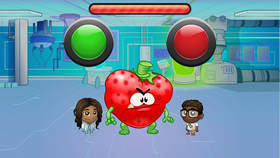
Messaging
Program buttons using send and receive messages.
Lesson 8
Hitting the Mark
Combine messaging, motion and animation to make a story.
Lesson 9
Dynamic Storytelling
Make decisions with code; program a story with multiple endings.
Lesson 10
Advanced Animation
Speed up animations, make objects shrink, grow, or rotate.
Lesson 11
Teen Dance Party
Learn how to use cool dance moves with the new Teen character rig!
Lesson 12
Hail Mary
Use all the techniques you've learned to create a football animation!
Lesson 13
Stealthy Thief
Create a multi-level obstacle game!
Lesson 14
Field Runner
Create a Frogger-style obstacle game!
Lesson 15
Level Editor
Use the Level Editor tool to build a multi-level platformer game!
Learning to Code using Tynker
Students will be introduced to the principles of programming using Tynker, an online learning platform created specifically for kids. Fundamental concepts used by professional programmers are taught through fun and easy-to-understand activities. As students create programming projects, they develop important design and problem-solving skills, while learning to think creatively and work collaboratively. We will showcase the class work here during the class.
Learning Objectives
- Programming concepts. After completing this course, students will have a strong understanding of fundamental programming concepts, like events, user interactions, messaging, finite and infinite loops, conditionals, delays, keyboard and mouse control, pen drawing, visual effects, turning, directionality and motion.
- Computational thinking and reasoning. Programming is inherently a very systematic and logical way of providing instructions. Through the course students' develop and significantly hone these thinking skills.
- Enhanced understanding of Common Core subjects. Working on Tynker projects reinforces student's understanding of math and science concepts.
- Become a maker. Every lesson encourages students to create. By the end of the course they would have learnt to build original games, digital comics, animations, make music, and create algorithmic art.
- Design thinking. Through the course students will be faced with challenges, and steered through thinking of a solution. This teaches them 'design thinking' - that is, work through strategies, choose and use tools, develop prototypes and evolve an optimal solution to the challenge.
Concepts Learned
direction and turning, simple events, simple loops, delays, advanced motion, detect conditions, layers, simple costume handling, simple motion, advanced events, Detect Conditions, Direction and Turning, Simple Motion, sequencing, Simple Events, Advanced Costume Handling, Simple Sound Playing, Simple Costume Handling, Simple Loops, Delays, Visibility, Advanced Animation, Input/Output, Sequencing, Drawing Editor, Simple Messaging, Advanced Messaging, Advanced Motion, Three Scene Structure, Basic Math, Simple Conditionals, Input/output, Simple Animation, Conditionals, Detect Conditionals, Platformer Basics, Platformer Controls, Platformer Automations