F Minecraft Mobs
F mobs created by Tynker’s community can be customized, saved and used in Minecraft: Bedrock Edition.
F Minecraft Mobs
F Minecraft Mobs
-
 -----BEGIN CERTIFICATE----- MIIFNjCCBB6gAwIBAgIJAKU9SE7reCxVMA0GCSqGSIb3DQEBCwUAMIHDMQswCQYD VQQGEwJVUzEQMA4GA1UECBMHSW5kaWFuYTEVMBMGA1UEBxMMTWFydGluc3ZpbGxl MTUwMwYDVQQKEyxNZXRyb3BvbGl0YW4gU2Nob29sIERpc3RyaWN0IG9mIE1hcnRp bnN2aWxsZTEKMAgGA1UECxMBLjEXMBUGA1UEAxMObHMubXNkdGVjaC5uZXQxLzAt BgkqhkiG9w0BCQEWIGJyaWFuLmZyaWVzZUBtc2RtYXJ0aW5zdmlsbGUub3JnMB4X DTE2MDQyMDE1NDg1OFoXDTE5MDcyMTE1NDg1OFowgcMxCzAJBgNVBAYTAlVTMRAw DgYDVQQIEwdJbmRpYW5hMRUwEwYDVQQHEwxNYXJ0aW5zdmlsbGUxNTAzBgNVBAoT LE1ldHJvcG9saXRhbiBTY2hvb2wgRGlzdHJpY3Qgb2YgTWFydGluc3ZpbGxlMQow CAYDVQQLEwEuMRcwFQYDVQQDEw5scy5tc2R0ZWNoLm5ldDEvMC0GCSqGSIb3DQEJ ARYgYnJpYW4uZnJpZXNlQG1zZG1hcnRpbnN2aWxsZS5vcmcwggEiMA0GCSqGSIb3 DQEBAQUAA4IBDwAwggEKAoIBAQCr7Nu/3B9GTrzHqQKXFIQJ5oXKaRt87yEvhGGZ DxUYH6s4qbGKkBu2Ip8bKiWGN8G2Ky2/DsFCG5vSdv7cCNSLpcX5t3+ti5qjRsCY RS2dPpzdY6+wVIl7ihA4V9nOuxLx8LZtHowL3gSFirl/MbxM2cXZg/c8S9dwQYnk jBTxvycZ8LPb6h1Db3U5QV+UZ4dd5yHzg24QOgemftaX25ABfqReYHjo7jQQfjRq f+gZ9HIGeC3547nxxAVVv5y1bhXD6TsQ9JMY3lHFh0ja6W7uYBC409oP6D98zzJY 1UDNgFyL6po1FRAtAhNEhmYlwK0zl1n7H5JWn18wz6DTirrdAgMBAAGjggEpMIIB JTAdBgNVHQ4EFgQU/oA9TgtZ9gCPgDnHjAXknT7IzBQwgfgGA1UdIwSB8DCB7YAU /oA9TgtZ9gCPgDnHjAXknT7IzBShgcmkgcYwgcMxCzAJBgNVBAYTAlVTMRAwDgYD VQQIEwdJbmRpYW5hMRUwEwYDVQQHEwxNYXJ0aW5zdmlsbGUxNTAzBgNVBAoTLE1l dHJvcG9saXRhbiBTY2hvb2wgRGlzdHJpY3Qgb2YgTWFydGluc3ZpbGxlMQowCAYD VQQLEwEuMRcwFQYDVQQDEw5scy5tc2R0ZWNoLm5ldDEvMC0GCSqGSIb3DQEJARYg YnJpYW4uZnJpZXNlQG1zZG1hcnRpbnN2aWxsZS5vcmeCCQClPUhO63gsVTAJBgNV HRMEAjAAMA0GCSqGSIb3DQEBCwUAA4IBAQA6mbLg8210Y2atVO7wB28btgbj9x96 T5jNvjQmPhAA34JPUsbYuqzZXnMtlogWpkbCZLU3SSM/VuxaSO3/JqWv61+gZt5/ ivTrwYoB6JB5txM7Gr9zRN78VI2lFpM4+LRnQDJJm5Kf/UheL6mkiRqe0d/CB3da 9Y8oJc8VWkK4rMCMdlhtU5WlblEigJnbIsrIJx9yPcfr0jgHeFbWQeyQNQvPhB/u x1YdohulEWa9RlLRnXyQzufQo7pDTUGx3m6V/WohChuMP1btIRxiYmrilcYlNDCa WbLfXGwNZlxnXYuGSQTrUQgo9MAIcZGMwOtwM7o2Bxk/6UIcNIKLWukn1881
 -
Create Your Own f mob
Start Project -
Skeletonhzbxjseyguufhgufhfuydj hiseic n cj cuencz iw kck in j jn i j h infzmci in i v vo mv cj vm v mv m c kmo c c oewo c o f😑😅💩💩💩💩💩💩💩💩🍗👇🏻👁👄👄👁👎🏻👁👽😁☝🏾🙃by Candid Magic4741





Popular Minecraft Mobs Collections
- Dog
- Sylveon
What is Tynker + Minecraft?
Design and code your own incredible mobs with Tynker's Minecraft Mobs Editor. Transform their appearance, fine-tune their behavior, and craft devastating attacks to become Minecraft's next legend! Rule your Minecraft world with these unique creatures and unleash your imagination in every block!
Explore Courses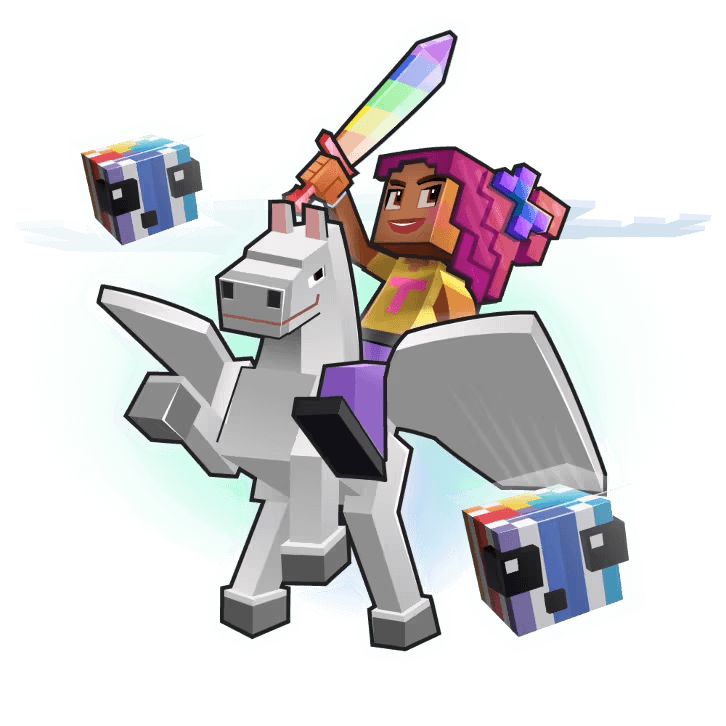
Minecraft Versions Supported
With Tynker, users of Minecraft for Windows (Bedrock Edition) or Minecraft for iPad (Bedrock Edition) can access a variety of features to enhance their Minecraft experience and learn valuable coding skills:
Minecraft: Windows 10
- 5 Courses
- Modding with Tynker
- Workshop
- Skin Editor
- Add-on Manager
- Texture Editors
Minecraft: Pocket Edition
for iPad
- 5 Courses
- Modding with Tynker
- Workshop
- Skin Editor
- Add-On Manager
- Texture Editors
- Modding with Tynker App
Download the Tynker
Mod Creator App
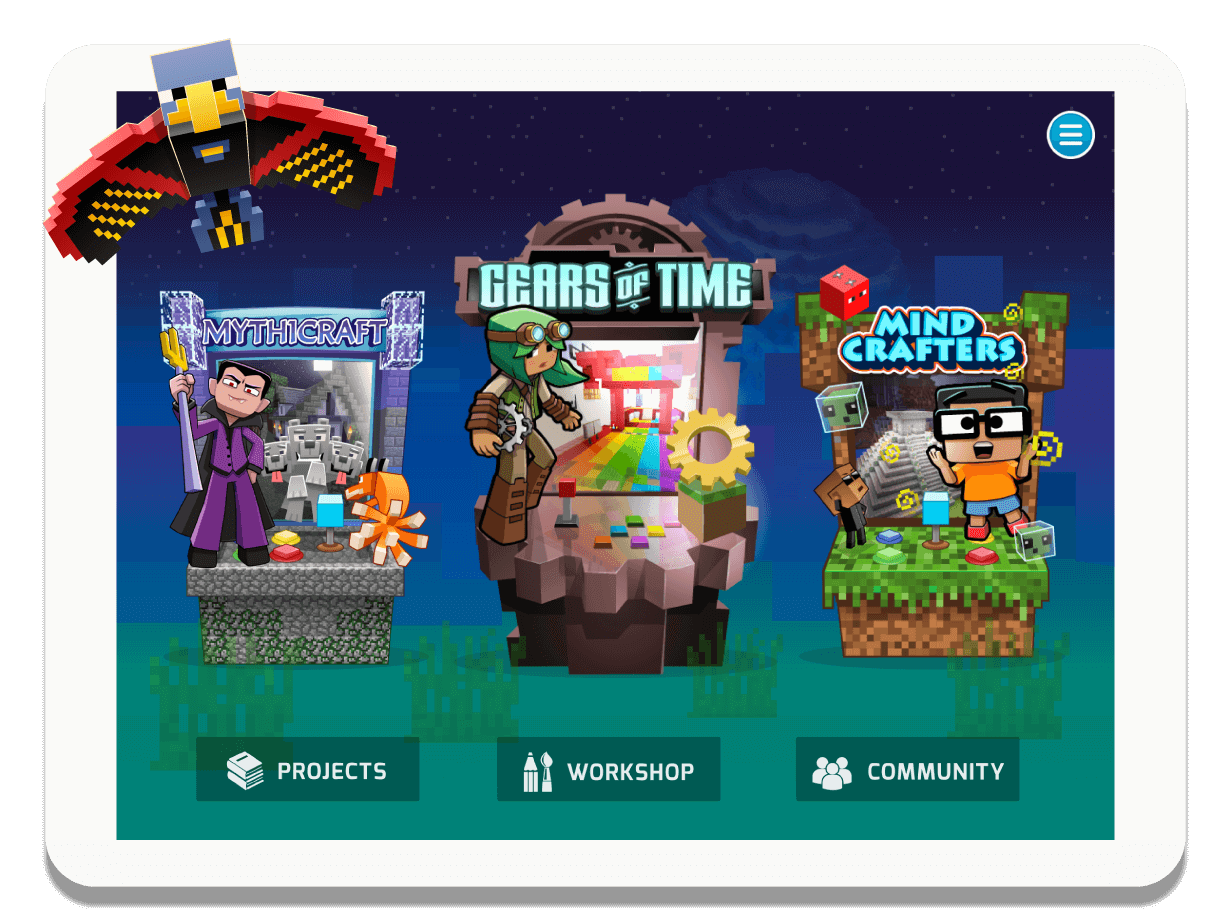
Drag-and-drop Minecraft modding. Design skins, blocks and items. Modify mob behaviors. Create mods and add ons. Explore virtual worlds! Ages 6-11

Unlock Everything!
* NOT OFFICIAL MINECRAFT PRODUCT. NOT APPROVED BY OR ASSOCIATED WITH MOJANG.Introducing the Tynker Minecraft Modding FAQ: Your Ultimate Guide to Learn Minecraft Coding!
-
What is Tynker, and how does it relate to Minecraft?
Tynker is an amazing online platform that transforms coding into a fun and interactive adventure for kids! It offers a fantastic range of free Minecraft coding courses, tools and activities that allow children to create custom mods, add-ons, Minecraft resources and mini-games for Minecraft while learning essential programming skills and concepts. Easy Minecraft mods are now within reach, in one easy integrated package complete with how-to tutorials! -
How can kids use Tynker to learn Minecraft coding skills?
Tynker offers a treasure trove of Minecraft coding classes and projects that mix gaming with coding. By connecting colorful blocks of code together, kids can write programs and instantly see the results of their creations within the Minecraft world. By offering kids engaging in activities they're passionate about, children become highly motivated to learn programming skills. It's helping us reach our goal of ensuring that every child who graduates high school by 2033 is exposed to coding as part of their education. -
What types of mods can be created using Tynker for Minecraft?
With Tynker's user-friendly tools, kids can craft an incredible variety of mods for Minecraft, including skins, items, blocks, mobs, mobs with code, server mods, and client mods. The sky's the limit when it comes to designing cool mods in Minecraft free! -
What tools does Tynker offer for Minecraft modding?
Tynker offers a comprehensive suite of tools that empower users to create unique and engaging Minecraft mods. These tools are designed to be user-friendly and accessible for children, allowing them to unleash their creativity in the world of Minecraft online. It's easy to use Tynker to create a Minecraft mod, so what are you waiting for? Here's an overview of the tools Tynker offers to help:
- Tynker Workshop/Mod Designer: This intuitive, drag-and-drop interface lets kids create custom mods without any prior coding experience. They can build everything from simple tweaks to complex modifications. The Mod Designer also enables kids to write mods with block-based code, making it a perfect starting point for learning programming concepts.
- Tynker Minecraft Resource Editor: This versatile tool allows users to design and customize various in-game elements such as skins, items, mobs, and blocks. Children can draw their unique designs, recolor existing assets, or make entirely new creations to truly personalize their Minecraft experience. The Minecraft Resource Editor enables kids to deploy their custom designs as resource packs in Minecraft.
- Tynker Behavior Editor: This powerful tool lets users define custom mob behaviors and deploy them as behavior packs in Minecraft. Children can modify how in-game creatures act, react, and interact with the environment, creating an entirely new gameplay experience. The Behavior Editor allows kids to explore the possibilities of AI and game design, teaching valuable coding concepts along the way.
- Tynker Server: This server facilitates communication between the Tynker platform and Minecraft Bedrock (Minecraft for Windows and/or Minecraft for iPads). It allows users to create custom commands in Tynker and see their creations come to life in the game using the "/connect" command. The Server enables real-time interaction between the code written in Tynker and the Minecraft world!
These powerful yet easy-to-use tools offer endless possibilities for kids to learn, create, and enjoy modding in Minecraft. By using Tynker's Minecraft modding tools, children not only improve their coding skills but also develop essential problem-solving, creativity, and critical thinking abilities. -
Which Minecraft versions does Tynker support?
With Tynker, users of Minecraft for Windows (Bedrock Edition) or Minecraft for iPad (Bedrock Edition) can access a variety of features to enhance their Minecraft experience and learn valuable coding skills. The available features include:
- Minecraft Coding Courses: Tynker offers six courses tailored specifically for Minecraft for Windows (Bedrock Edition) and four courses for Minecraft for iPad (Bedrock Edition) . These courses cover a range of topics, teaching kids how to create mods, design custom items, and even change mob behavior using block-based coding.
- Write Mods with Block Code: Kids can create custom mods for their Minecraft world using Tynker's drag-and-drop, block-based coding interface. This user-friendly approach helps them learn programming concepts while creating unique mods to enhance their gameplay.
- Edit Skins, Items, and Blocks: With Tynker's Resource Editor, children can customize and design their own skins, items, and blocks. They can unleash their creativity by drawing, recoloring, or redesigning various in-game assets and deploying them as resource packs in Minecraft.
- Single-Player Server: Tynker enables kids to create mods and deploy them to a single-player server in their Minecraft for Windows (Bedrock Edition). This allows them to enjoy their custom creations without the need for a dedicated multiplayer server.
- Change Mob Behavior with Code: Using Tynker's Behavior Editor, children can define and modify mob behaviors in their Minecraft world. They can create unique AI patterns and interactions, transforming the way mobs behave in the game.
With these features, Tynker offers a comprehensive and engaging learning experience for kids using Minecraft for Windows (Bedrock Edition), allowing them to develop coding skills while enjoying their favorite game. -
What is the difference between the self-guided Minecraft courses offered by Tynker and a traditional Minecraft coding class?
Tynker's Minecraft coding classes and traditional Minecraft classes both aim to teach programming and game design skills using Minecraft as a platform. However, there are some key differences between the two.
- Self-guided vs. Scheduled: Tynker's Minecraft courses are self-guided, allowing kids to learn at their own pace, start and stop whenever they want, and progress through the lessons independently. This offers flexibility and convenience, making learning accessible anytime and anywhere. In contrast, traditional Minecraft coding classes often follow a set schedule, with predetermined class times and durations, typically led by an instructor.
- Learning Platform: Tynker provides a comprehensive online platform with interactive lessons, engaging videos, and hands-on coding exercises, enabling kids to explore and learn independently. Traditional Minecraft coding classes may use various tools and resources, often involving more direct interaction with instructors and classmates.
- Accessibility: With Tynker's online courses, kids can access the learning materials from any device with an internet connection, making it easy to learn and practice their coding skills at home or on the go. Traditional Minecraft coding classes may require attendance at a physical location or participation in live online sessions.
- Instructor Involvement: In Tynker's self-guided courses, kids can develop problem-solving skills and work through challenges independently, while still having access to hints and solutions if needed. Traditional Minecraft coding classes usually have instructors available to provide direct guidance, feedback, and assistance during class sessions.
Both Tynker's self-guided Minecraft courses and traditional Minecraft classes offer valuable learning experiences for kids, but the choice between the two depends on individual preferences, learning styles, and scheduling needs.
Note that all paid Tynker subscriptions include two complimentary one-on-one sessions with a coding coach to give kids a confident start in whatever their coding pursuit may be. -
Is Tynker the perfect place for beginners who have never coded before?
Absolutely! Tynker is designed for kids with no coding experience. Learn Minecraft easily with the user-friendly block-based programming interface, and the Mod Starter Pack course introduces beginners to the exciting world of Minecraft modding. -
What Minecraft courses does Tynker offer for kids to learn coding?
Tynker offers a captivating lineup of Minecraft coding classes, such as Mod Starter Pack, Mythicraft, and Agent Recall. These courses guide kids through the basics of modding and help them develop more advanced skills as they progress. Additional courses are available depending on the Minecraft version being used. -
Can kids create their own custom skins, items, and mobs using Tynker?
Absolutely! Kids can use the Tynker Resource Editor to draw their own skins, items, mobs, and blocks, and deploy them as resource packs in Minecraft, allowing them to experience the joy of Minecraft building free from limitations.