


1.1 Welcome
Description for this introduction chapter.
1 Activity:
- 1.1 Welcome
1.2 Introduction to JavaScript
Description for this introduction chapter.
15 Activities:
- 1.2 Introduction to JavaScript
- Artscapes!
- First Sketch
- Smooth Sketching
- Turn Right
- Turn Left
- What Are Comments?
- Turn! Turn! Turn!
- Buggy Code
- What Are Naming Conventions?
- More Bugs?
- Complete the Path
- Create a Design!
- Review
- Functions
1.3 Colors
Processing!
11 Activities:
- 1.3 Colors
- Understanding Pixel Locations
- Pixels and Coordinate Systems
- Drawing
- A Colorful World
- RGB Color System
- Experiment with RGB
- Color Commands
- Challenge: Adding Color to Your Sketch
- Challenge: Multiple Colors and Rectangles
- Weighty Lines
1.4 Lab: Piet Mondrian
Processing!
4 Activities:
- 1.4 Lab: Piet Mondrian
- Replicating Piet Mondrian
- Understanding the Text Editor
- Make Mondrian Your Own
1.5 Ellipses and Circles
Processing!
6 Activities:
- 1.5 Ellipses And Circles
- Use Ellipse to Draw a Circle
- Draw a Circle
- Color, Stroke, and Position
- Remove Stroke and Fill
- Lab: Make an Emoji
1.6 More Basic Shapes
Processing!
8 Activities:
- 1.6 More Basic Shapes
- Naming Conventions
- Quadrilateral
- Line Segment
- Challenge: Basic Shapes
- Radians and Arcs
- The Arc Command
- Challenge: Using Arcs
1.7 Lab: Emoji Inventor
Processing!
1 Activity:
- 1.7 Lab: Emoji Inventor
1.8 Review
Description for this introduction chapter.
1 Activity:
- 1.8 Review
1.9 Quiz
Description for this introduction chapter.
1 Activity:
- 1.9 Quiz
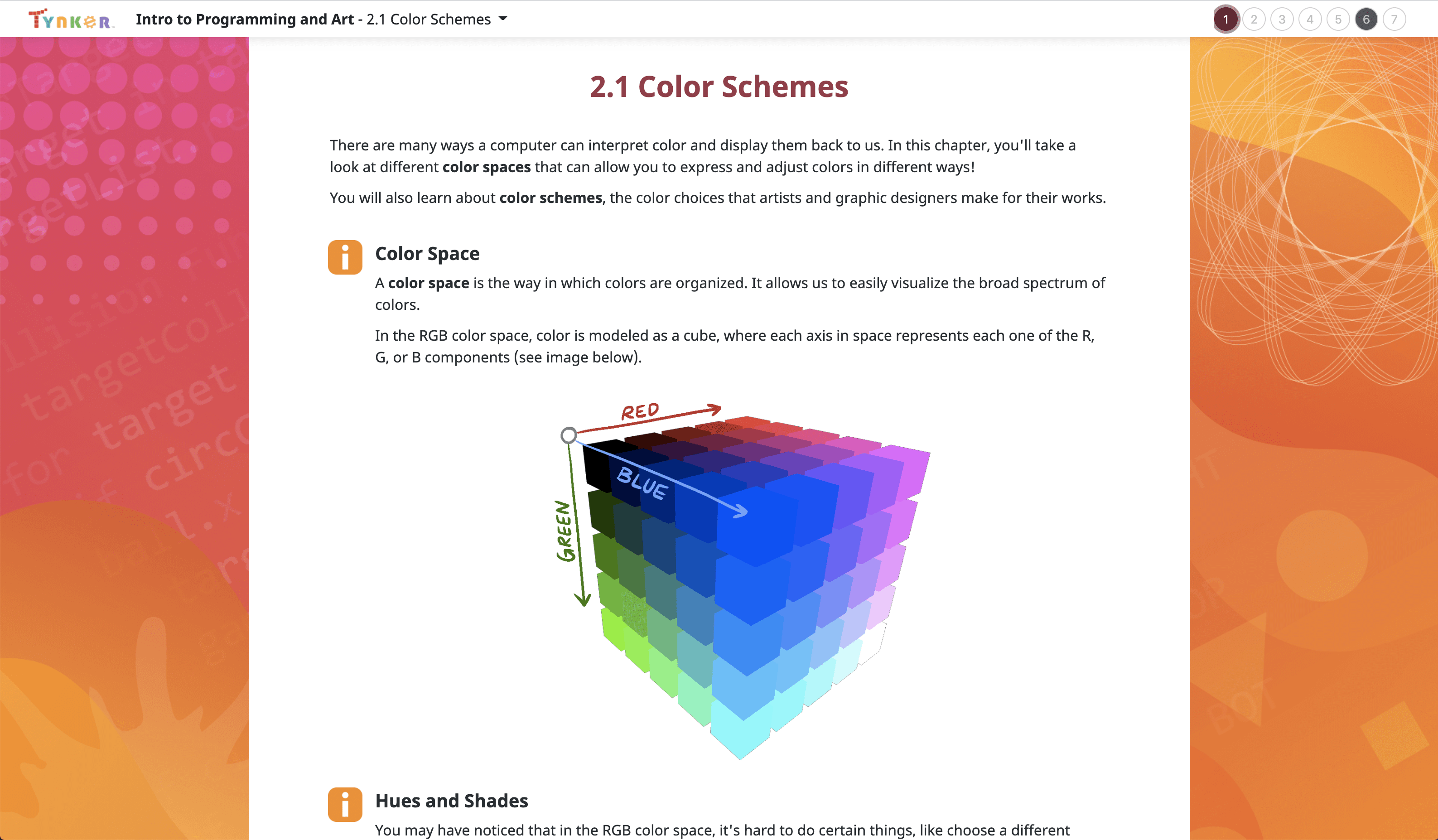
2.1 Color Schemes
Processing!
1 Activity:
- 2.1 Color Schemes
2.2 Irregular Shapes
Processing!
5 Activities:
- 2.2 Irregular Shapes
- Coding Irregular Shapes
- Sandbox
- How To Draw Irregular Shapes
- Challenge: Draw Your Letter
2.3 Lab: Create a Logo
Processing!
1 Activity:
- 2.3 Lab: Create a Logo
2.4 User-Defined Functions
Processing!
6 Activities:
- 2.4 User-Defined Functions
- Define a Function
- Your First Function
- Parameters
- Challenge: Draw Eyes
- Return Values
2.5 Lab: Silhouette
Processing!
1 Activity:
- 2.5 Lab: Silhouette
2.6 Transparency
Processing!
3 Activities:
- 2.6 Transparency
- How To Use Transparency: Alpha Channel
- Challenge: Layering and Blending Shapes
2.7 Lab: Origami Art
Processing!
1 Activity:
- 2.7 Lab: Origami Art
2.8 Randomness
Processing!
5 Activities:
- 2.8 Randomness
- The Random Function!
- Inclusion and Exclusion
- Data Types
- Nested Functions
2.9 Lab: Cubism
Processing!
1 Activity:
- 2.9 Lab: Cubism
2.10 Review
Processing!
1 Activity:
- 2.10 Review
2.11 Quiz
Processing!
1 Activity:
- 2.11 Quiz
3.1 Variables
Processing!
1 Activity:
- 3.1 Variables
3.2 Logic and Decisions
Processing!
10 Activities:
- 3.2 Logic and Decisions
- How To Write an If Statement
- Path Left
- Path Right
- If Statements in Action
- Conditional Branches
- Broken Path
- Broken Turns 1
- Broken Turns 2
- Challenge: Chaining Conditionals
3.3 Loops
Processing!
13 Activities:
- 3.3 Loops
- For Loops
- Repeating Commands
- Incrementation Shorthand
- Onwards, Forward!
- Broken Painting 1
- Broken Painting 2
- Two Loops
- Jump, Forward
- Forward, Jump
- Up and Down
- Challenge: Precision Shapes
- Mini Lab: On Your Own
3.4 Lab: Refactoring
Processing!
6 Activities:
- 3.4 Lab: Refactoring
- Refactoring
- Refactoring Step 1: Add Variables
- More Repeated Numbers
- Loops
- The Big Idea: Abstraction and Composition
3.5 Gradients
Processing!
8 Activities:
- 3.5 Gradients
- Make Gradients with Lerp
- Blending Colors
- Example: Lerp from Yellow to Red
- Challenge: Create a Gradient
- Blending with HSB
- Getting Precise Gradients
- Challenge: Multigradient
3.6 Lab: Create a Cityscape
Processing!
1 Activity:
- 3.6 Lab: Create a Cityscape
3.7 Shading: Creating Depth
Processing!
6 Activities:
- 3.7 Shading: Creating Depth
- Challenge: Make a Sphere
- Challenge: Light Sources and Highlights
- Challenge: A Lit Sphere
- Materials and Light
- Challenge: Materials
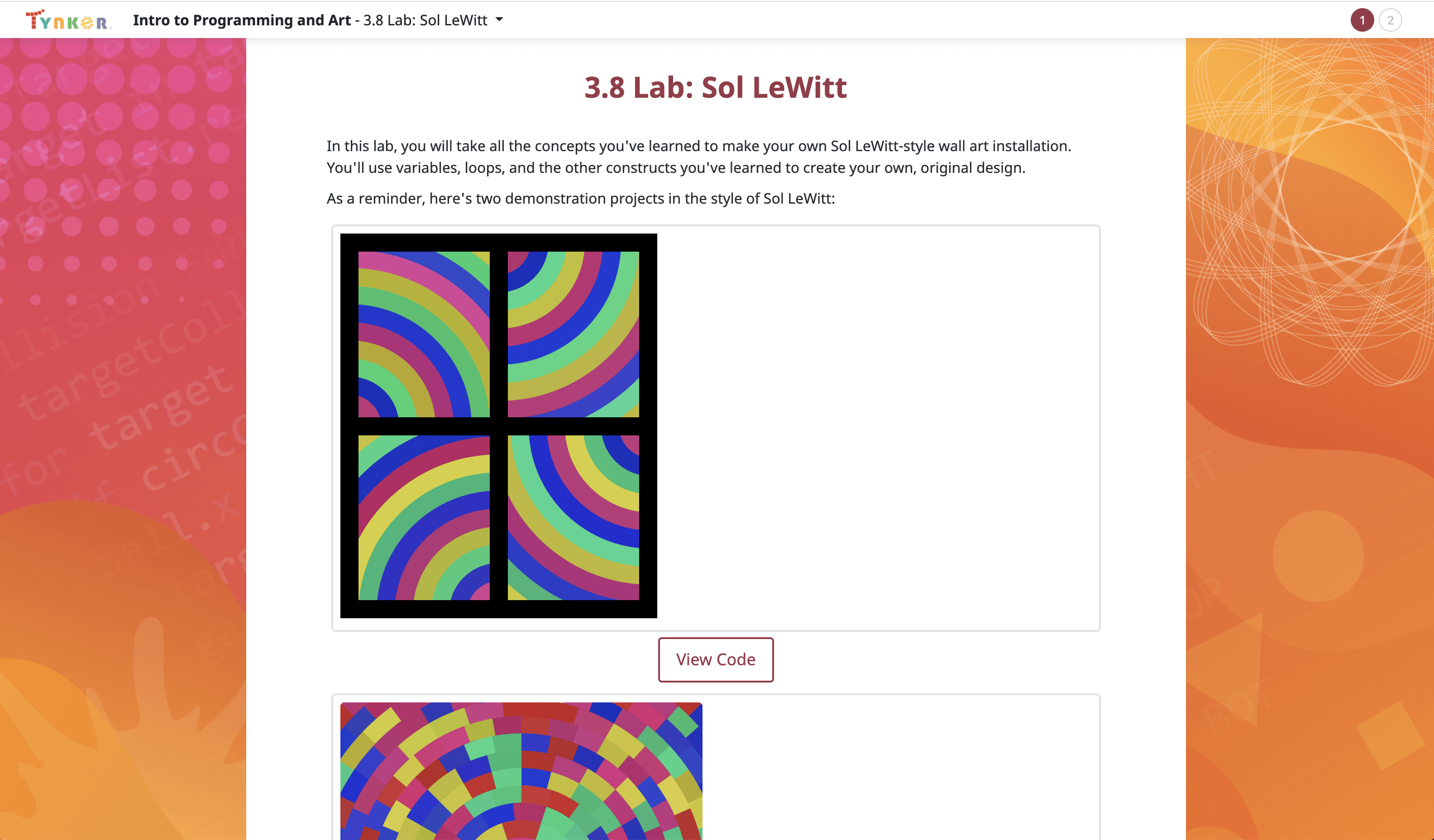
3.8 Lab: Sol LeWitt
Processing!
2 Activities:
- 3.8 Lab: Sol LeWitt
- Challenge: Color Arcs
3.9 Review
Processing!
1 Activity:
- 3.9 Review
3.10 Quiz
Processing!
1 Activity:
- 3.10 Quiz
4.1 Advanced Logic
Processing!
1 Activity:
- 4.1 Advanced Logic
4.2 Pixel Art Challenge
Processing!
12 Activities:
- 4.2 Pixel Art Challenge
- Modulo for a Grid
- Pixel Grid: Using a Single Loop
- Pixel Grid: RGB Diagonals
- Nested Loops
- Pixel Grid: RGB by Columns
- Pixel Grid: 4 Quadrants using AND
- Pixel Grid: 4 Quadrants using If-Else
- Pixel Grid: Two Triangles
- Pixel Grid: Jagged Triangles
- Pixel Grid RGB: Using NOT
- Pixel Grid: RGB Diagonals Revisited
4.3 Draw
Processing!
9 Activities:
- 4.3 Draw
- Frames
- Animating with Time
- Looping Animations
- In or Out of Phase
- Challenge: Screensaver
- Mouse Interactivity
- Smooth Movement
- Challenge: Mouse Animation
4.4 Implicit Shading and Shapes
Processing!
11 Activities:
- 4.4 Implicit Shading and Shapes
- Implicit Equations
- Challenge: Quadrants
- Implicit Circle
- Challenge: Implicit Circle
- Implicit Rectangle
- Implicit Ellipse
- Implicit Regions
- Putting it Together
- Implicit Shading in Sets
- Negative Space
4.5 Lab: Impressionism
Processing!
6 Activities:
- 4.5 Lab: Impressionism
- Optimizing Randomness
- Implicit Gradients
- Shape Drawing Modes
- Impressionism
- Implicit Impressionism
4.6 Transformations
Processing!
10 Activities:
- 4.6 Transformations
- Translate
- Challenge: Tiles
- Scale
- Challenge: Swivel Screensaver
- Rotate
- Angle Conversions
- Play with Transformations
- Push and Pop
- Mini-Lab: Kaleidoscope
4.7 Lab: Perspective
Processing!
4 Activities:
- 4.7 Lab: Perspective
- Perspective Inspiration
- An Interactive Vanishing Point
- Perspective Project
4.8 Review
Processing!
1 Activity:
- 4.8 Review
4.9 Quiz
Processing!
1 Activity:
- 4.9 Quiz
5.1 Images
Processing!
1 Activity:
- 5.1 Images
5.2 Lab: Pointillism
Processing!
3 Activities:
- 5.2 Lab: Pointillism
- Troubleshooting
- Pointillism with Pixels
5.3 Arrays
Processing!
7 Activities:
- 5.3 Arrays
- Why Use Arrays?
- Array Elements
- Iterate Through the Array
- Challenge - Scintillating Sweater 2
- Modifying Arrays
- Splice
5.4 Pixel Data
Processing!
10 Activities:
- 5.4 Pixel Data
- Loading Pixels
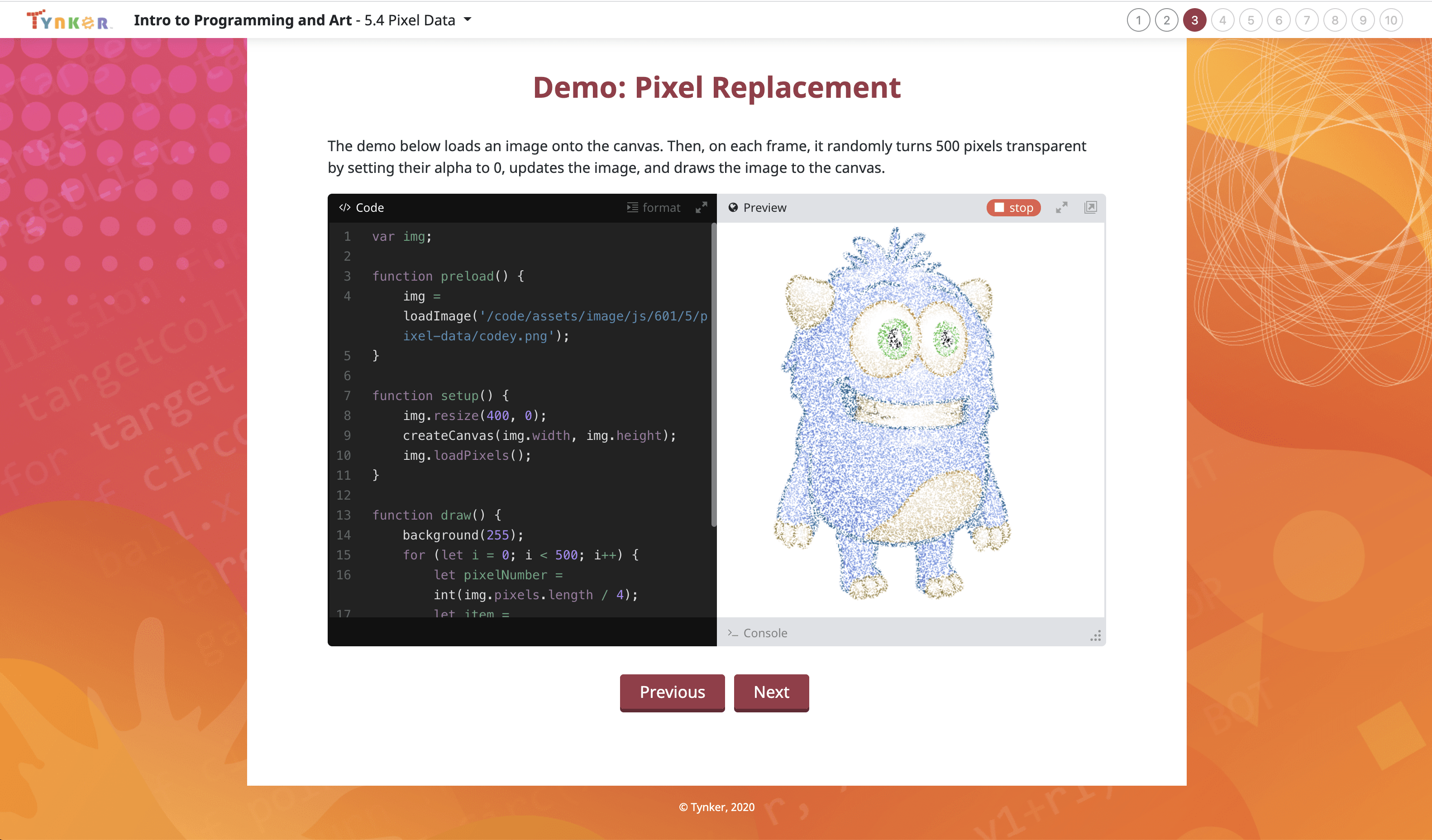
- Demo: Pixel Replacement
- Challenge: Selective Erasing
- Challenge: Implicit Masking 1
- Challenge: Implicit Masking 2
- Challenge: Collage
- Creating New Images
- Example: Pixel Displacement
- Example: Image Displacement
5.5 Lab: Andy Warhol
Processing!
3 Activities:
- 5.5 Lab: Andy Warhol
- Demonstration Project: Andy Warhol Style
- Andy Warhol Project
5.6 Steganography
Processing!
6 Activities:
- 5.6 Steganography
- Create an Image
- Copy an Image
- Compare Pixels
- Encrypt a Message
- Decrypt the Message
5.7 Pixel Art Effects
Processing!
7 Activities:
- 5.7 Pixel Art Effects
- Rescaling Images
- Pixelization
- Step 1: Resize the Image and Set a Scale
- Step 2: Recreate Hard Edges
- Challenge: Basic Shapes
- Challenge: Random Alpha
5.8 Lab: Halftones
Processing!
4 Activities:
- 5.8 Lab: Halftones
- Pointillism Everywhere
- Replicate Halftones
- Halftones Project
5.9 Review
Processing!
1 Activity:
- 5.9 Review
5.10 Quiz
Processing!
1 Activity:
- 5.10 Quiz
6.1 Mouse Interaction
Processing!
1 Activity:
- 6.1 Mouse Interaction
6.2 Keyboard Interaction
Processing!
6 Activities:
- 6.2 Keyboard Interaction
- Keycodes
- Keys and Key Codes
- Detecting Key Presses
- Advanced Keyboard Features
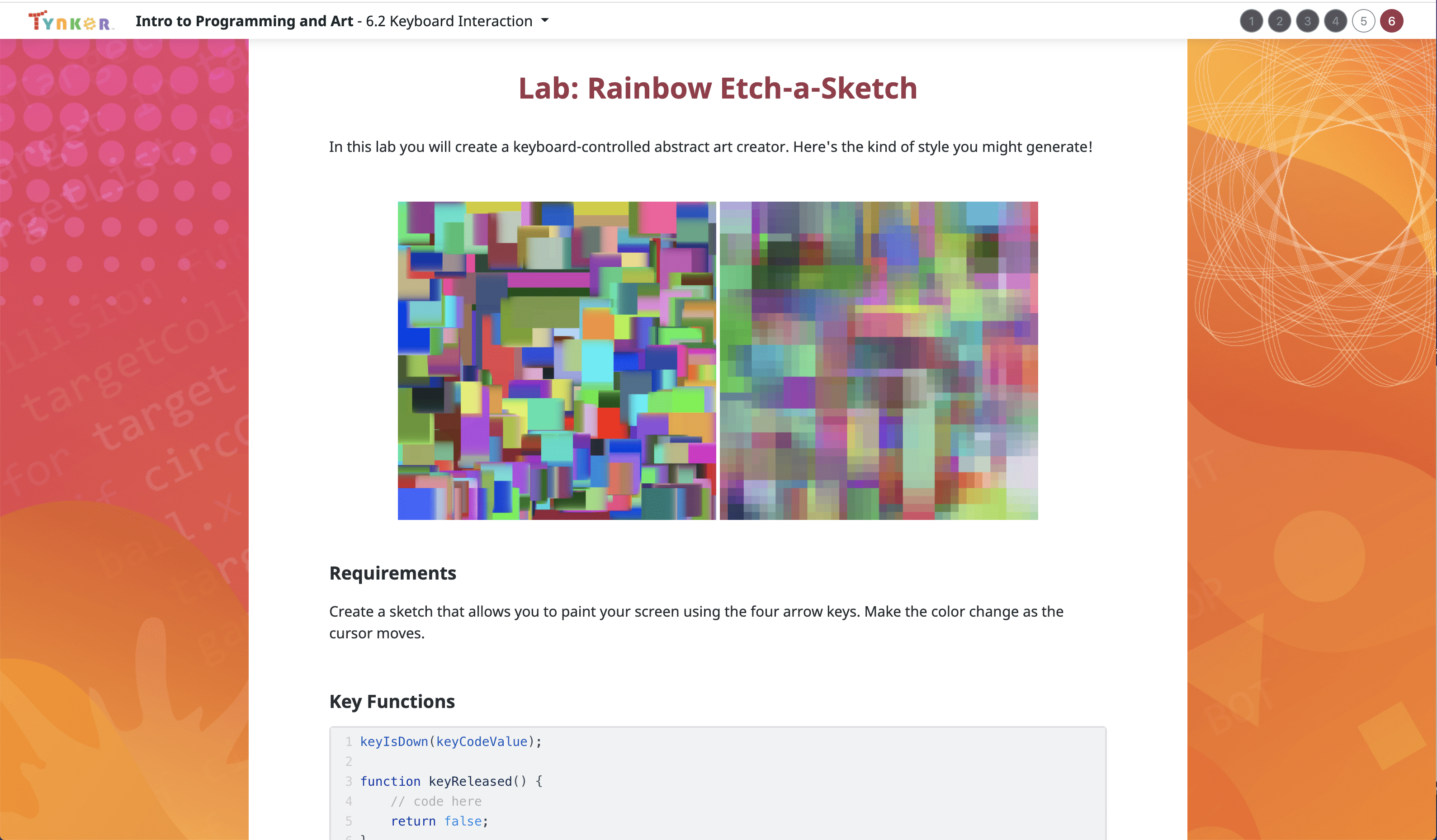
- Lab: Rainbow Etch-a-Sketch
6.3 Objects
Processing!
7 Activities:
- 6.3 Objects
- Writing a Class
- Parts of a Class
- Finish that Frog
- Create an Object
- Multiple Objects
- Mini-Lab: Critter
6.4 Lab: Picture Slideshow
Processing!
3 Activities:
- 6.4 Lab: Picture Slideshow
- Storyboarding
- Picture Slideshow Project
6.5 Lab: Art Gallery
Processing!
5 Activities:
- 6.5 Lab: Art Gallery
- Convert a Project
- Genericizing Code
- Keypress Navigation
- Art Gallery Project
6.6 Review
Processing!
1 Activity:
- 6.6 Review
6.7 Quiz
Processing!
1 Activity:
- 6.7 Quiz
7.1 Intro to the Final Project
Processing!
1 Activity:
- 7.1 Intro to the Final Project
7.2 Breaking Bricks
Processing!
10 Activities:
- 7.2 Breaking Bricks: A Collaborative Story
- Sprint One (Week 1)
- First Stand-Up Meeting
- After Week 1: Lola's Code
- After Week 1: Josue's Code
- Sprint Two (Recap and Plan for Sprint 3)
- Sprint Three: Making the Basic Game
- Sprint Three: Adding Vaya's Menu
- Sprint Four: Polishing, Additional Features, and Testing
- Additional Feature Requests
7.3 Your Final Project
Processing!
8 Activities:
- 7.3 Your Final Project
- Choose Your Project
- Project Proposal
- Select a Role Form
- Daily Work Log
- Weekly Reflection
- Weekly Goal Setting Form
- Sharing Team Code