Special Savings: 40% Off

Game Design 201

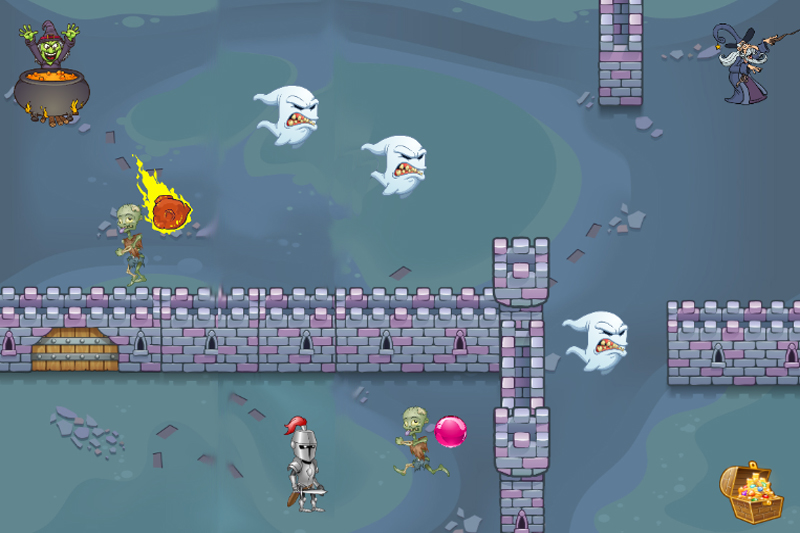
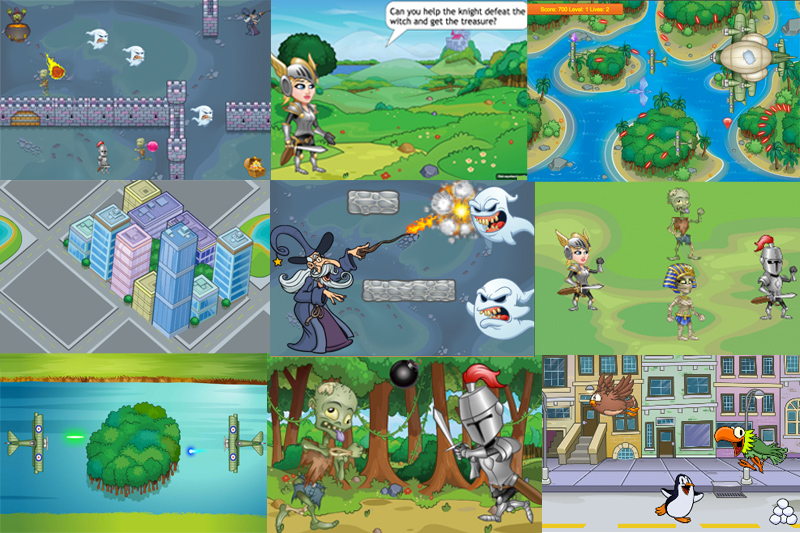
A fast-paced introduction to programming for students in grades 6-8. Introduce programming fundamentals to your class as they build two arcade-inspired games from start to finish. In Cannon Crasher, a physics game, they harness the power of the physics engine to program realistic jumps, projectiles, and bouncing balls. The Adventure Game features a knight who has to defeat enemies to reach treasure. Students program arrow keys, fluid motion, hero and enemy behavior, and winning conditions.

Topics Covered: Events, keyboard and mouse interaction, conditional loops, nested loops, functions, and sending and receiving messages. Basic physics programming such as gravity, bounding boxes, bouncing, projectiles, impulses, and collisions.

Game Design 201

A fast-paced introduction to programming for students in grades 6-8. Introduce programming fundamentals to your class as they build two arcade-inspired games from start to finish. In Cannon Crasher, a physics game, they harness the power of the physics engine to program realistic jumps, projectiles, and bouncing balls. The Adventure Game features a knight who has to defeat enemies to reach treasure. Students program arrow keys, fluid motion, hero and enemy behavior, and winning conditions.

Topics Covered: Events, keyboard and mouse interaction, conditional loops, nested loops, functions, and sending and receiving messages. Basic physics programming such as gravity, bounding boxes, bouncing, projectiles, impulses, and collisions.

Course card image for Game Design 201

Access this and 5,000 coding activities!

Get Started for Free

Course

Beginner Level
100% Online
25 lessons
157 Activities

Access this and 5,000 coding activities!

Get Started for Free

Give as Gift

Recommended for Ages +

Web

No Prerequisites

Tynker Code Blocks

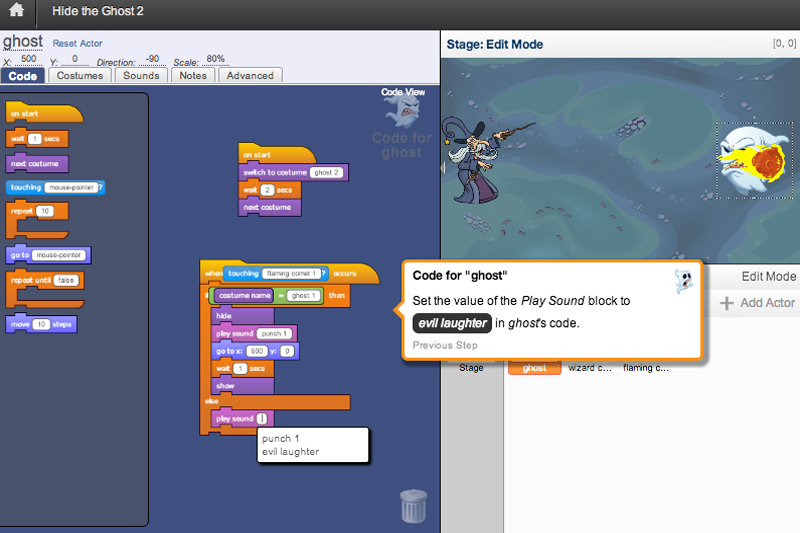
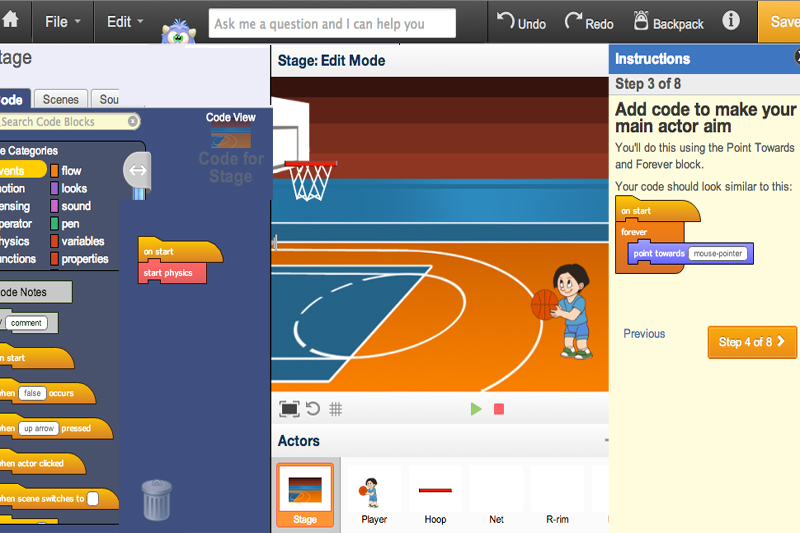
Tynker's visual code blocks are a great way for beginners to code, without needing to remember how to type syntax. By dragging and dropping code blocks together, young coders can produce vividly complex programs and games in our proprietary app, which includes support for graphics, sound, physics, and more.

How Kids Learn with Tynker

Kids learn on their own with a guided, hands-on approach that individualizes the learning experience. Tynker's online courses provide a complete learning system for your child to master the fundamentals of programming. Tynker's visual programming language makes it easy to learn, and once kids gain proficiency, they can seamlessly transition to Javascript coding within the Tynker learning system. Enroll in one of our plans for unlimited play across all courses.

Game-Based Learning

Tynker's self-guided lessons break down coding concepts while solving puzzles and making cool apps.

Interactive Assessments

Quick practice quizzes and assessment tests evaluate a child's comprehension of subjects taught.

Captivating Topics

There's always something to learn with multiple subjects, projects, and coding languages available.

System Requirements

Online courses require a desktop computer, laptop computer, Chromebook, or Netbook with Internet connection and a Chrome (29+), Firefox (30+), Safari (7+), or Edge (20+) browser. No downloads required. Courses are not supported on tablets.

Minecraft courses and server access is available to verified accounts. Minecraft for Windows 10 is required for Training Day, Agent Recall, Gears of Time, Mythicraft, and Mind Crafters courses. Content and courses are subject to changes. NOT AN OFFICIAL MINECRAFT PRODUCT. NOT APPROVED BY OR ASSOCIATED WITH MOJANG.

Lesson image for: Welcome to Game Design

Welcome to Game Design

Get Introduced to Tynker and start coding through guided tutorials and solving puzzles. Finally create your own "Treasure Chase" project.

13 Modules:

  • Introduction
  • Intro Video
  • Puzzles Intro
  • Collect the ray gun
  • Use a loop
  • Jump
  • Walk and Jump
  • Right Angle
  • House
  • Tutorial Intro
  • Move the Knight
  • Avoid the Ghost
  • Treasure Chase
Lesson image for: Animated Motion

Animated Motion

Learn about Tynker basics, such as adding animation, movement, and sounds by building an adventure game.

8 Modules:

  • Introduction
  • Concepts
  • Forest Scene
  • Get to the Treasure
  • Train the Knight
  • Treasure Run
  • Monster Mash
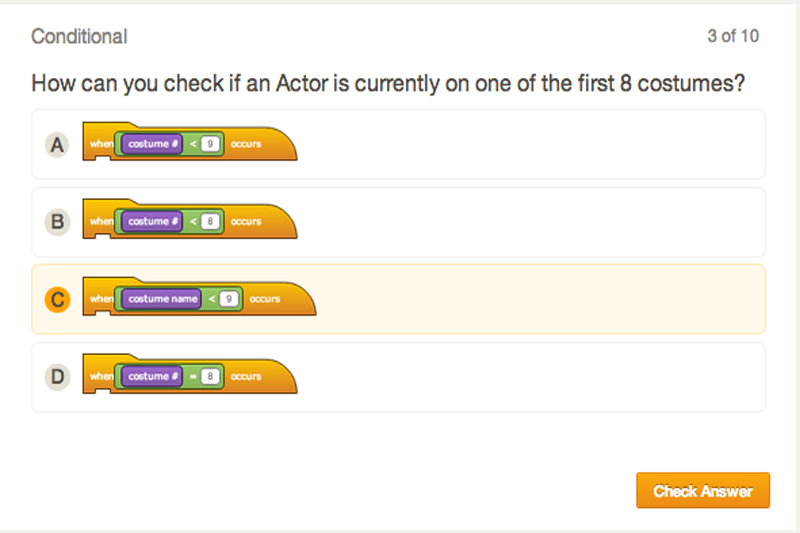
  • Quiz
Lesson image for: Actor Positioning

Actor Positioning

Learn how to hide and show actors, as well as move them using X and Y coordinates.

6 Modules:

  • Concepts
  • Spooky Scene 1
  • Spooky Scene 2
  • Tear Down This Wall!
  • Hide and Seek
  • Quiz
Lesson image for: Motion and Tracking

Motion and Tracking

Learn how to navigate an Actor with the arrow keys.

6 Modules:

  • Concepts
  • The Knight Moves
  • The Knight Attacks
  • Castle Maze
  • Maze Level
  • Quiz
Lesson image for: Conditional Loops

Conditional Loops

Learn how to specify an Actors costume and use the Forever If loop.

6 Modules:

  • Concepts
  • Looping Knight Moves
  • Knight Attack Functions
  • Zombie Survival
  • Animation Control
  • Quiz
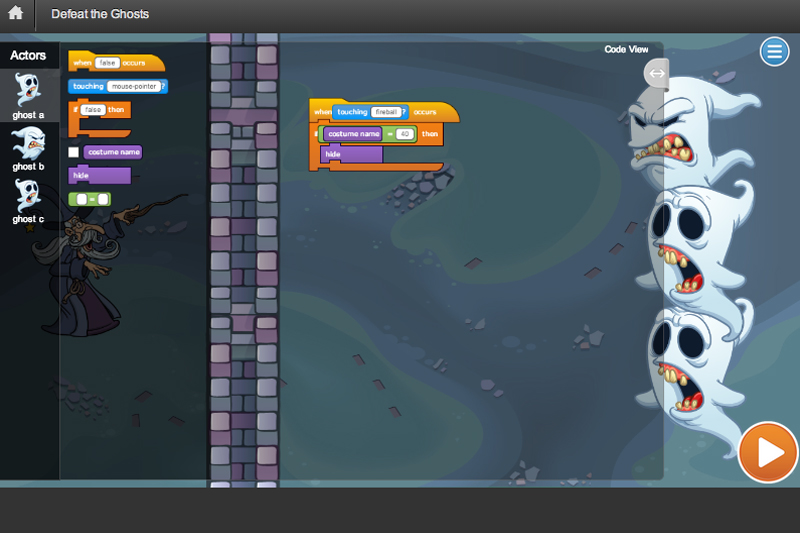
Lesson image for: Show and Hide

Show and Hide

Learn to show and hide Actors using conditionals.

6 Modules:

  • Concepts
  • Hide the Ghost 1
  • Hide The Ghost 2
  • Defeat the Ghosts
  • Wizard vs. Zombies Game
  • Quiz
Lesson image for: Actor Properties

Actor Properties

Learn how to turn actors, use operators and check the properties of other actors.

6 Modules:

  • Concepts
  • Deflect the Fireball 1
  • Deflect the Fireball 2
  • Defeat the Trolls
  • Fireball Tennis
  • Quiz
Lesson image for: Nested Loops

Nested Loops

Learn how to use nested loops to give the actors multiple lives.

6 Modules:

  • Concepts
  • Multiple Lives 1
  • Multiple Lives 2
  • Let There Be Lives
  • Boss Battle
  • Quiz
Lesson image for: Messaging

Messaging

Finish the game by using broadcast blocks to add a win screen.

6 Modules:

  • Concepts
  • Open the Gate
  • Win Screen
  • Add to the Adventure Game
  • Build Your Own Adventure Game
  • Quiz
Lesson image for: The Physics Engine

The Physics Engine

Learn to activate the built-in physics engine and set up gravity. Add multiple Actors and learn to stack them.

9 Modules:

  • Introduction
  • Play the Game
  • Concepts
  • Stack the Blocks Example
  • Stack the Blocks
  • Stack 'em up
  • Make a Structure Example
  • Make a Structure
  • Quiz
Lesson image for: Gravity and Bouncing

Gravity and Bouncing

Adjust the bounciness of an Actor by changing gravity and restitution.

9 Modules:

  • Bouncing Ball Example
  • Bouncing Ball
  • Gravity Simulation Example
  • Gravity Simulation
  • Owl Bounce
  • Gravity Madness Example
  • Gravity Madness Simulation
  • Bug Ball Example
  • Bug Ball
Lesson image for: Static Platforms

Static Platforms

Learn to use the Static and Active blocks to control the effect of physics on Actors.

8 Modules:

  • Introduction
  • Concepts
  • Learn to Make Trick Shots Example
  • Learn to Make Trick Shots
  • Owl Hunt
  • Make the Ball Bounce Example
  • Make the Ball Bounce
  • Quiz
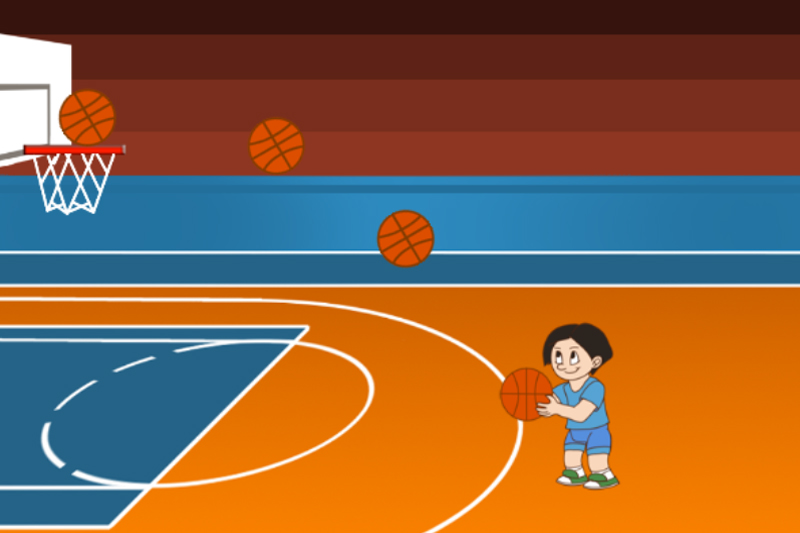
Lesson image for: Basketball

Basketball

Make a Physics-based basketball game.

8 Modules:

  • Basketball Game Example
  • Aim, Animate, Fire
  • Basket Example
  • Set up the Basket
  • Apple Drop
  • Basketball Game
  • Falling Objects Example
  • Falling Objects
Lesson image for: Sequencing

Sequencing

Train your dragon to breathe fire, blast through obstacles and find treasure.

5 Modules:

  • Jump
  • Blow Fire
  • Walk and Jump
  • Double Jump
  • Jump and Blow Fire
Lesson image for: Repetition

Repetition

Use loops to make your dragon repeat the same actions over and over again.

6 Modules:

  • Change Direction
  • Triple Jump
  • Blow. Blow. Blow.
  • Jump. Turn Around. Repeat.
  • Grow
  • Ice Breath
Lesson image for: Patterns

Patterns

Eat bugs and make your dragon grow to jump on to higher platforms.

6 Modules:

  • Eat. Grow. Turn Around. Jump.
  • Jump. Grow. Jump.
  • Sequencing with Firefly
  • Blow Fire. Blow Ice.
  • Blow Ice. Blow Fire.
  • Jump Down
Lesson image for: Sequencing Tasks

Sequencing Tasks

Automate several tasks in the correct sequence to reach the treasure.

6 Modules:

  • Jump Up. Jump Down
  • Ice Breath. Grow.
  • Fire Breath. Grow.
  • Turn around jump with icefly and firefly.
  • Moving Bug
  • Moving Firefly
Lesson image for: Using Logic

Using Logic

Use conditional logic to make your program flexible.

6 Modules:

  • Moving firefly with jump
  • Moving firefly and icefly
  • Moving icefly with jump down
  • Moving bug with jumps
  • Moving icefly and firefly with jump down
  • Moving icefly and firefly with jump up
Lesson image for: Advanced Logic

Advanced Logic

Use advanced logic to handle moving bugs and barriers to reach treasure.

6 Modules:

  • All bugs moving
  • Multiple fire barriers
  • Multiple barriers
  • Jump down with moving firefly
  • Grow and jump down
  • The Dragon's Treasure
Lesson image for: Direction

Direction

Program your dragon to fly on the right path to reach the gem.

6 Modules:

  • Forward
  • Go Further
  • Press Forward
  • Flying Islands
  • Avoid the castles!
  • Fly Forward Function
Lesson image for: Motion

Motion

Blast the airships and move forward using pre-defined functions.

6 Modules:

  • More Fly Forward Function
  • Fireballs
  • Double Fire
  • Fire Repeatedly
  • Moving Obstacles
  • Forward Spiral
Lesson image for: Functions

Functions

Navigate through the flying fortresses while evading the airships.

6 Modules:

  • Open spiral
  • Dodge
  • Dodge Left
  • Dodge Right
  • Dodge and Fire
  • Smart Fire
Lesson image for: Function Library

Function Library

Learn to use many functions together to make your dragon reach its goal.

6 Modules:

  • Better Smart Fire
  • Check for Airships
  • Loop it
  • Smart Dodge
  • Smart Fire and Smart Dodge
  • Modify Turn
Lesson image for: Algorithms

Algorithms

Build algorithms with path detection and seth the direction to reach the gem.

6 Modules:

  • Smart Dodge and Smart Fire
  • Detect Path
  • Zig Zag
  • Get all Treasures
  • Moving Treasures
  • Zig Zag and Smart Fire
Lesson image for: Finale

Finale

Debug the given functions and help your dragon seek it’s final treasure.

6 Modules:

  • Seek
  • Open Seek
  • Seek and Fire
  • Modify Seek
  • Modify Fly Forward
  • Treasure Hunt

Choose a Plan to Accelerate Learning

All plans include access for up to 3 children

Choose Live Online Courses

Choose a Plan to Accelerate Learning

All plans include access for up to 3 children

Choose a 3-Year Self-Paced Plan

40% OFF

Yearly

$25 $15 /month Now $180 billed annually cancel any time
40% OFF

Lifetime*

$780 $468 one time payment Best Deal
40% OFF

Quarterly

$30 $18 /month Now $54 billed quarterly cancel any time
40% OFF

Quarterly

$30 $18 /month Now $54 billed quarterly cancel any time
40% OFF

Yearly

$25 $15 /month Now $180 billed annually cancel any time
40% OFF

Lifetime*

$780 $468 one time payment Best Deal

Access everything Tynker offers

  • Thousands of hours of creative projects in Game Design, Minecraft, Python concepts, and more
  • Personalized assessments and certifications in real-world languages
  • Access to our highly rated mobile apps: Tynker, Tynker Junior & Mod Creator
  • 5,000+ lessons built to improve problem solving skills and academic performance
  • Parent dashboard with mastery stats - watch as they progress from novice to expert
  • 30 Day Money-Back Satisfaction Guarantee

3-Year All-Access plans include:

  • 70+ courses
  • 5,000+ activities
  • Block Coding
  • Text Coding
  • 3 Mobile Apps
  • Minecraft Modding
  • Game Design
  • Robotics
  • Hardware
  • Web Development
  • Python
  • JavaScript
  • Processing (P5.JS)
  • Data Science
  • Advanced CS

Tynker is designed to progress with your child. A three year plan accelerates their coding mastery from block coding to advanced text languages.